How it works

Up and running
in 4 steps.

No accounting background needed. Fill blue cells — everything else auto-calculates. Most sellers are fully set up in under 10 minutes.

Simple from day one.

Built for ecommerce sellers, not accountants. No formulas to write — ever.

01
📥
STEP 01
Download and Open
Instant delivery via email after purchase. Open in Google Sheets or Excel — no plugins, no setup, no account needed.
02
🏪
STEP 02
Name Your Stores
Rename up to 6 store slots with your actual brand names. Add income and expense rows — one per transaction. Blue cells only.
03
📣
STEP 03
Paste Your Ads CSV
Export from Meta Ads Manager and paste in the Import sheet. All columns map automatically. Real ROAS calculated instantly.
04
📊
STEP 04
Read Your Dashboard
Every KPI updates live. Net profit, ROAS, margin percentage, goals and cash flow — all in one view, always up to date.
STEP 01

Download and open in 60 seconds.

As soon as your payment is confirmed you receive a download link via email. Open the file in Google Sheets — free, no account upgrade needed — or in Microsoft Excel. The file works identically in both.

  • Instant delivery via email
  • Works on Google Sheets free and Excel
  • No plugins no extensions no setup
  • Start Here sheet guides you step by step
Blue cells = your input. Green cells = auto-calculated. Never touch a formula.
🏠 Start Here — Setup GuideSTEP 1
SETUP CHECKLIST
Open file in Google Sheets or Excel
Read the color legend blue = input
Go to Store Tracker rename stores
Go to Ads Tracker add ad platforms
Go to Dashboard set monthly goal
Average setup time8 minutes
STEP 02

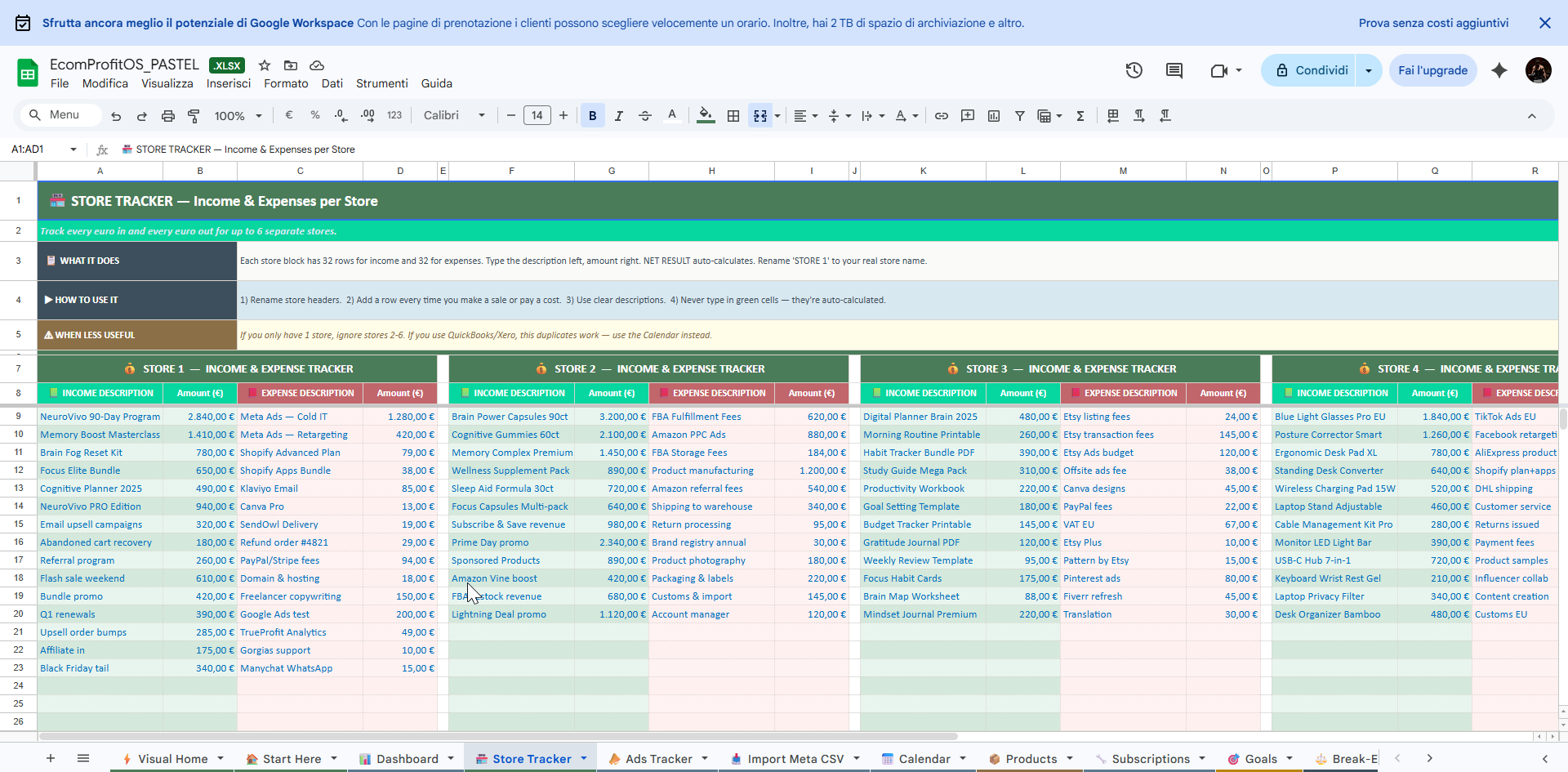
Name your stores and start tracking income.

Rename up to 6 store slots with your actual brand names. Then add income and expense rows — one per transaction. The NET RESULT calculates automatically for every store.

  • Up to 6 stores tracked simultaneously
  • 32 income rows plus 32 expense rows per store
  • Net profit auto-calculated per store
  • Margin percentage shown automatically
🏪 Store TrackerLIVE
STOREINCOMECOSTSNET
Store 1€10,090€2,499€7,591
Store 2€15,430€4,554€10,876
Store 3€2,683€641€2,042
Store 4€7,920€3,399€4,521
TOTAL€66,111€18,867€47,244
STEP 03

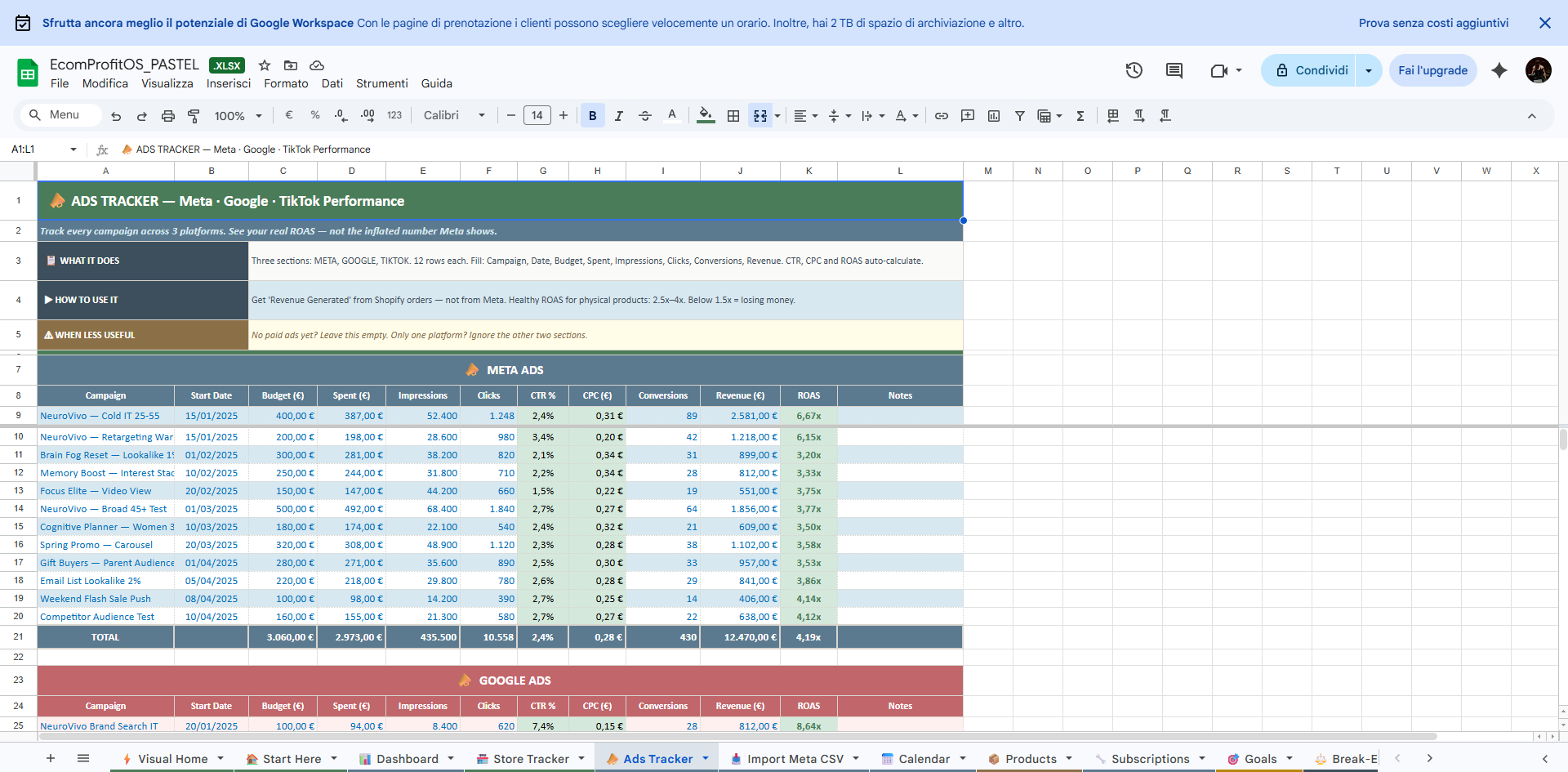
Paste your Meta Ads CSV — it maps automatically.

Export your campaign data from Meta Ads Manager as a CSV file. Paste it into the Import Meta CSV sheet. All columns map automatically. Real ROAS calculates instantly.

  • Works with Italian and English column names
  • Real ROAS not Meta's inflated estimate
  • CTR CPC and CPA auto-calculated
  • Also supports Google Ads and TikTok
📣 Ads Tracker — MetaAUTO-CALC
CAMPAIGNSPENTROAS
NeuroVivo Cold IT€3876.67x
Brain Fog LAL€2813.2x
Memory Interest€2443.3x
Focus Elite Video€1473.7x
TOTAL€2,9734.19x 🏆
STEP 04

Your dashboard updates live. Every metric, always current.

Once your data is in, the Dashboard and Visual Home sheet update automatically. Net profit, ROAS per platform, best store, margin percentage and monthly goals — all in one view. Check it in 30 seconds every morning.

  • Net profit after all costs and ad spend
  • ROAS per platform Meta Google TikTok
  • Best performing store highlighted
  • Monthly goal tracker with projection
📊 Dashboard — LiveAUTO
NET PROFIT
€47,244
↑ +23%
META ROAS
3.85x
↑ Healthy
BEST STORE
€20,156
75.8% margin
Revenue 2025€107,260
Inside the file

See it before you open it.

Every sheet is designed to be filled in minutes and read in seconds.
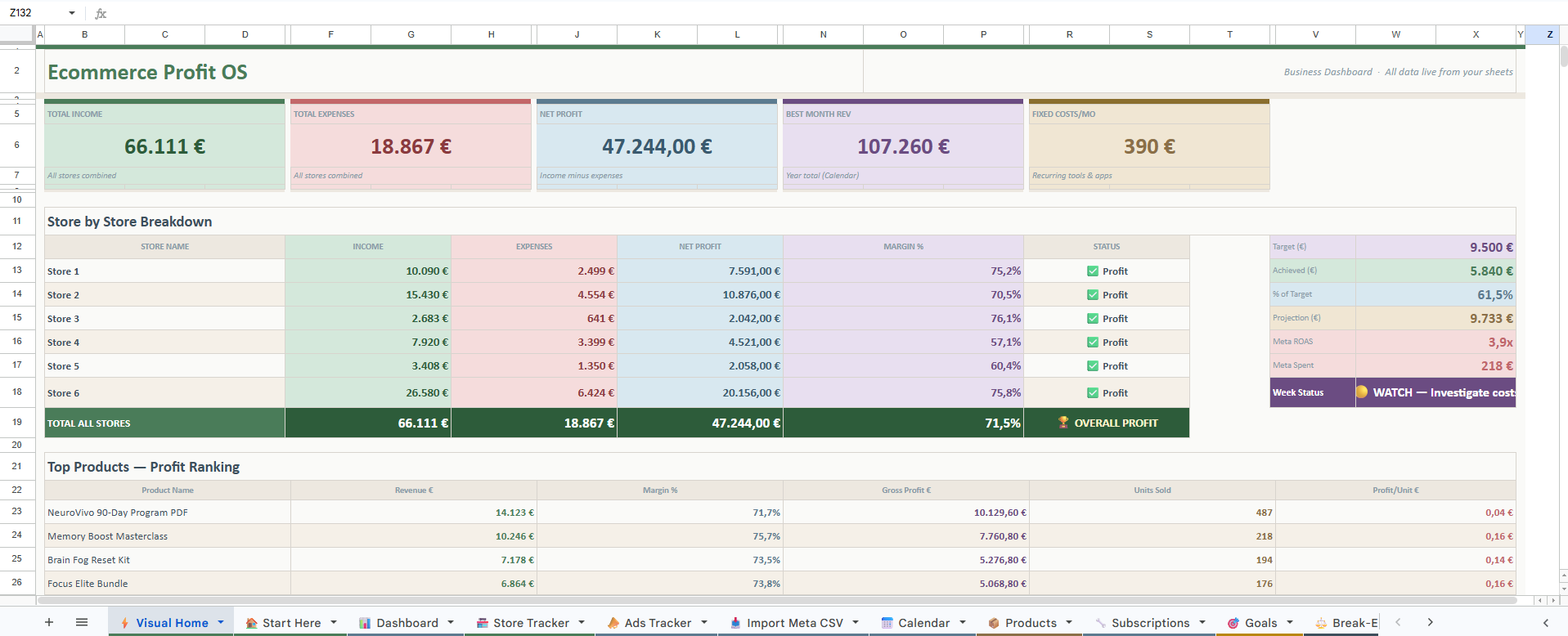
📊 Dashboard
Dashboard — All KPIs in one view
📣 Ads Tracker
Ads Tracker — Real ROAS per campaign
🏪 Store Tracker
Store Tracker — P&L per store
⚖️ Break-Even
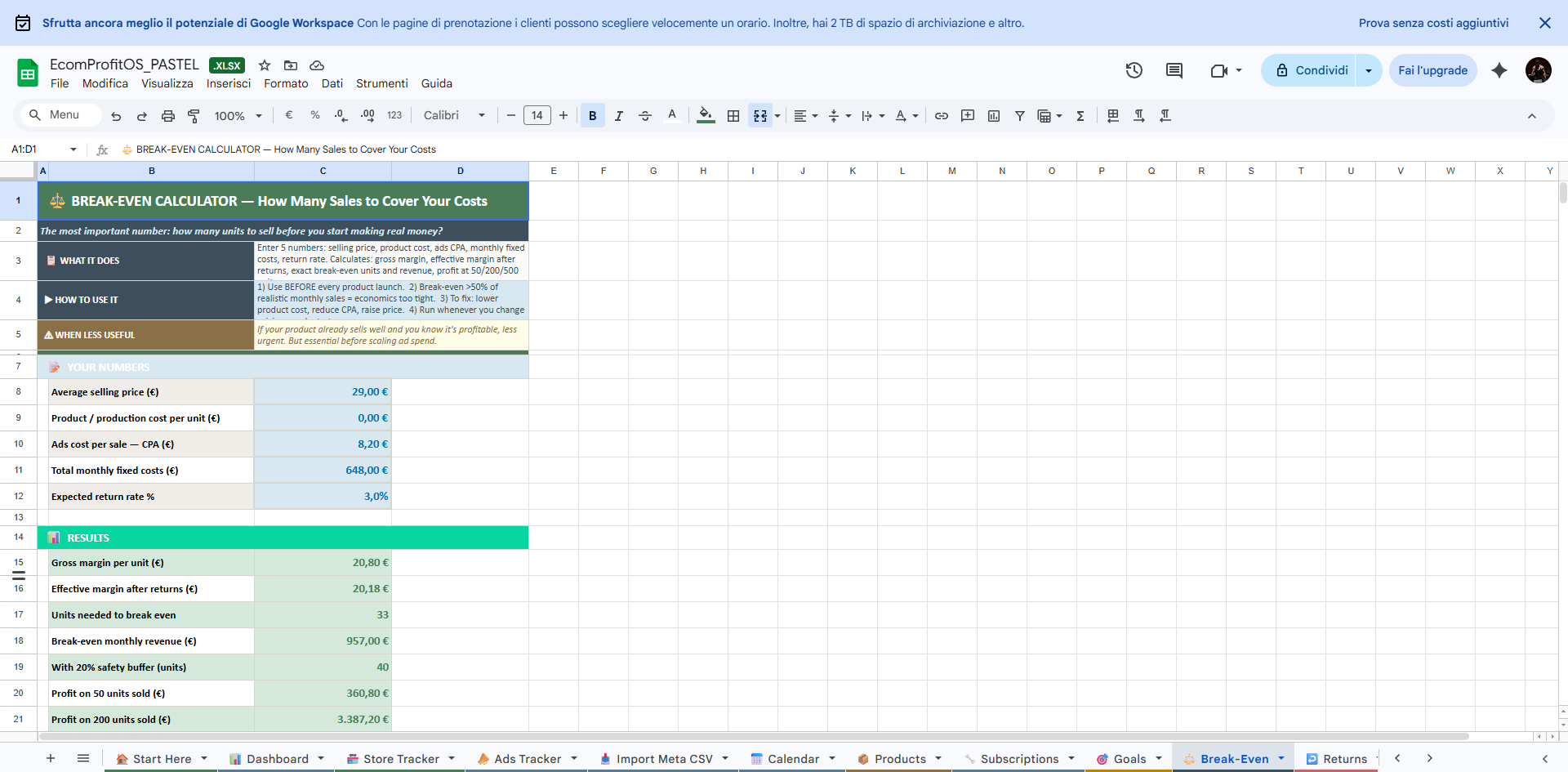
Break-Even — Units needed to profit
FAQ

Common questions.

Yes. EcomProfit OS is delivered in both formats. All formulas and features work identically in both — no difference whatsoever.